
Pay Your Bills
Easily make payments for utilities and bills to companies, or to a person, like your landlord. Once it’s set up in your account, enable reminders so you never miss a payment!
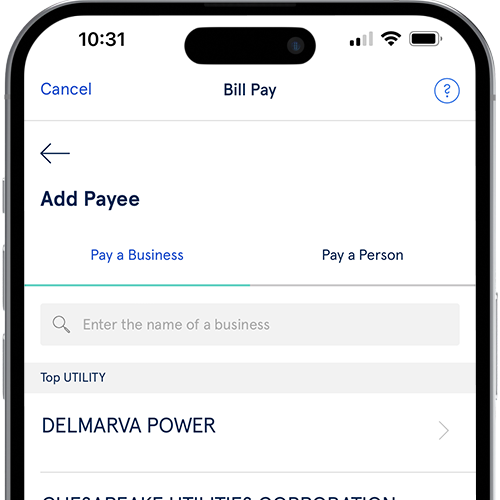
Free Online Bill Pay
Serve Jackson Hewitt makes it simple to organize your bills and pay them when they’re due. If you juggle rent or a mortgage, utility bills and more, online bill pay can save you time and keep you on track.

Here's how to set up a new bill to pay online:
-
Log in
Log in to your Account from your preferred device and go to Money Out, then select Bill Pay.
-
Add Payee
Select the + icon, choose either Pay a Business or Pay a Person and fill out the form to add the payee.
-
Pay your bill
Click or tap the name of the business or person you just added, enter the amount you wish to pay, and select Pay.